
 GameTime: Football · for iPhone
The substitution planner for equal playing time.
Every kid gets their minutes.
The sideline companion for grassroots and youth football coaches. Split fair teams in seconds, track playing time so it's truly equal, and record the whole match — right from your pocket.
GameTime Football is a sideline coaching companion — not a live football scores app or a fantasy-football tool. It plans your subs, splits fair teams and tracks equal playing time for every kid.
Actively used by 80+ coaches this season and growing.
Works on Apple Watch · Subscribe or pay once
How it works
GameTime Football: three taps from chaos to a fair matchday
Pick who's here
Tap the players who showed up today. One tap each, or “all on/off”. Done in seconds.
Get fair teams or a sub plan
The app balances teams by skill, or builds a full rotation so every kid gets equal minutes.
Coach — it keeps track
It counts minutes, suggests subs and records goals. You just watch the game and cheer.
Everything a matchday needs
Built around the real problems on the sideline
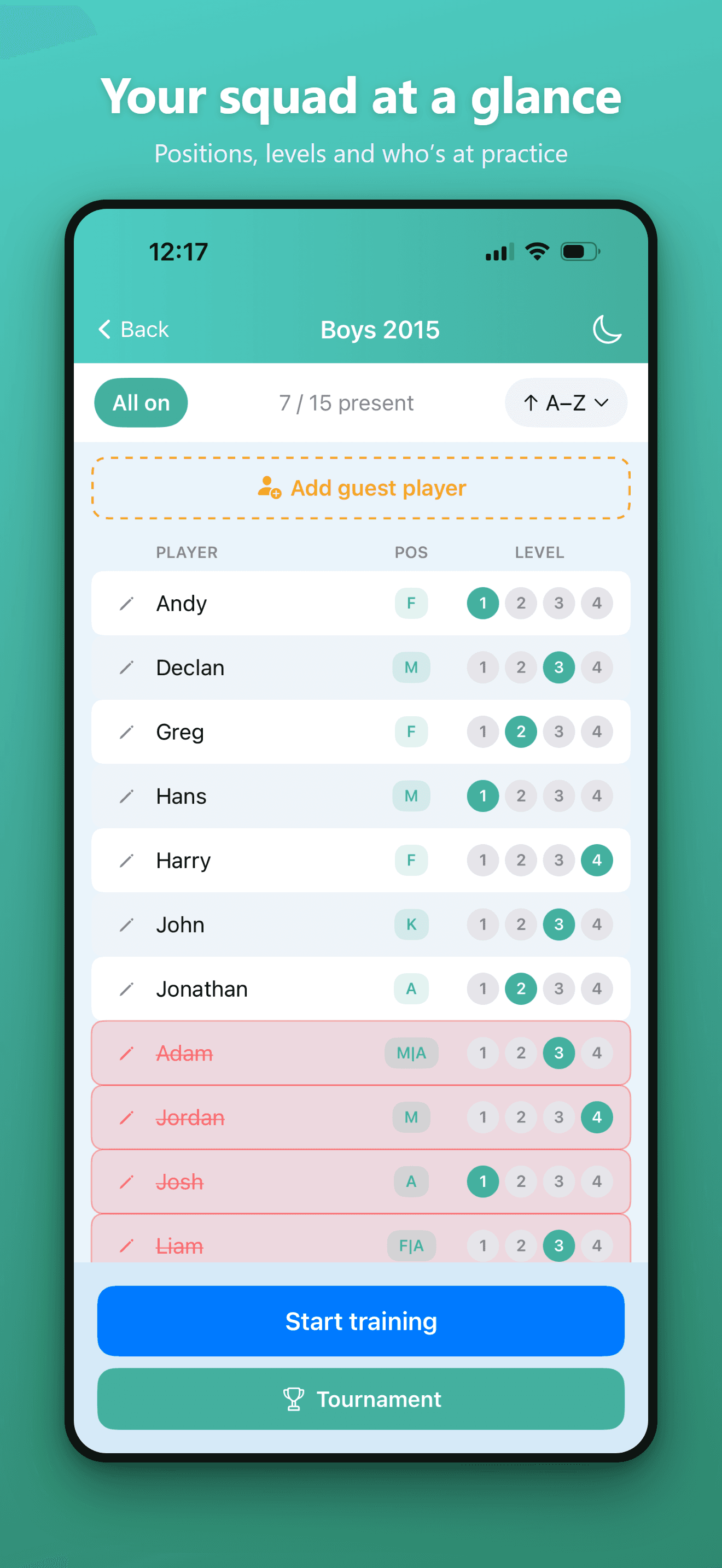
“Half the squad shows up, the other half is a surprise every week.”
Your whole squad, one tap to set attendance
See every player with their position (K, F, M, A) and a 1–4 skill level. Tap absent players off, mark who's present, and add a guest player when a friend tags along.
- Positions and 1–4 skill levels for every player
- “All on”, present count and A–Z sorting
- Add guest players on the fly for one session
- Jump straight to Start training or a Tournament
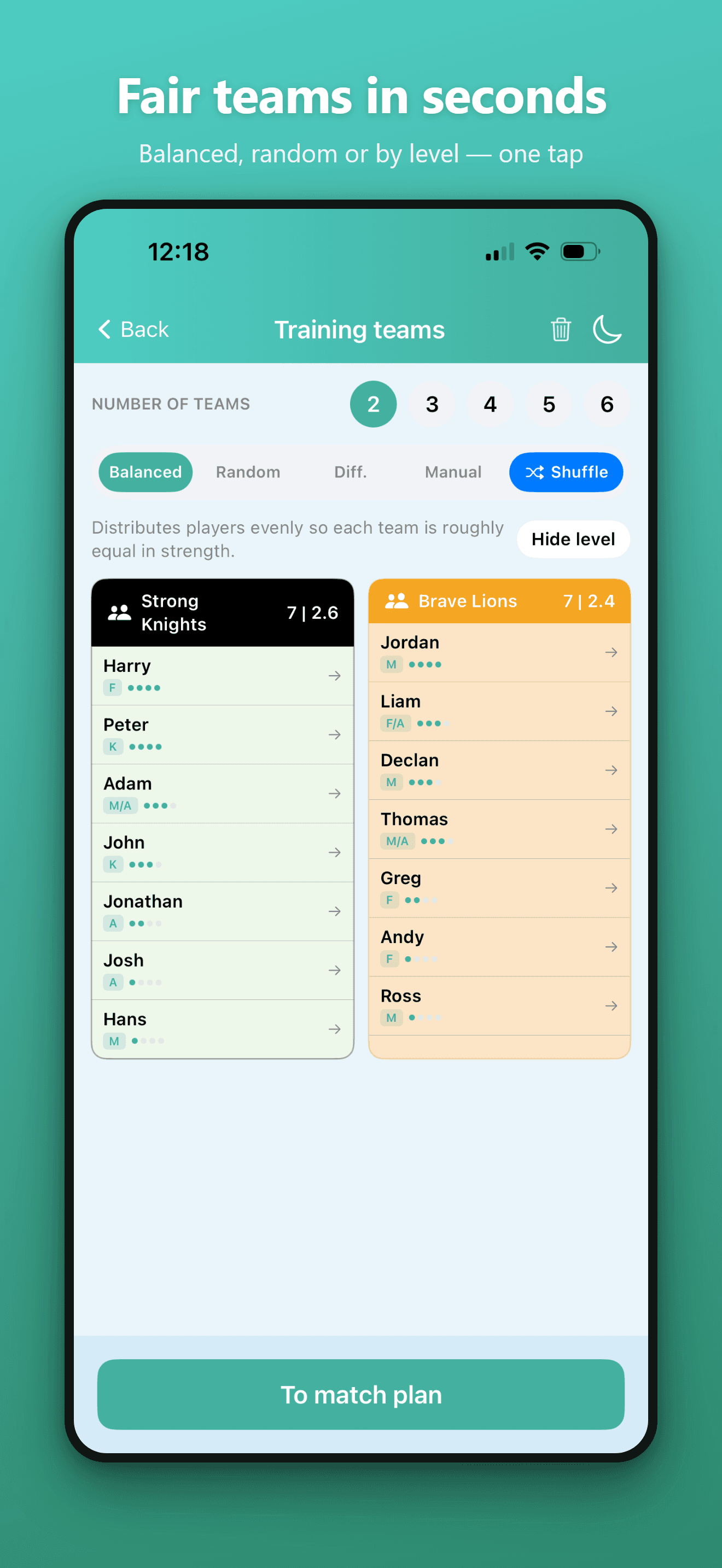
“Making fair teams at training takes forever and the kids complain.”
Balanced sides, no more arguments
Tick off who came, and the Balanced mode splits them evenly by skill so every team is roughly the same strength. Random, Differentiated and Manual modes are one tap away.
- Balanced, Random, Diff. and Manual splitting
- Team strength shown as player count and average level
- Shuffle to reshuffle, or drag players between teams
- Hide level to keep ratings off the kids’ screens
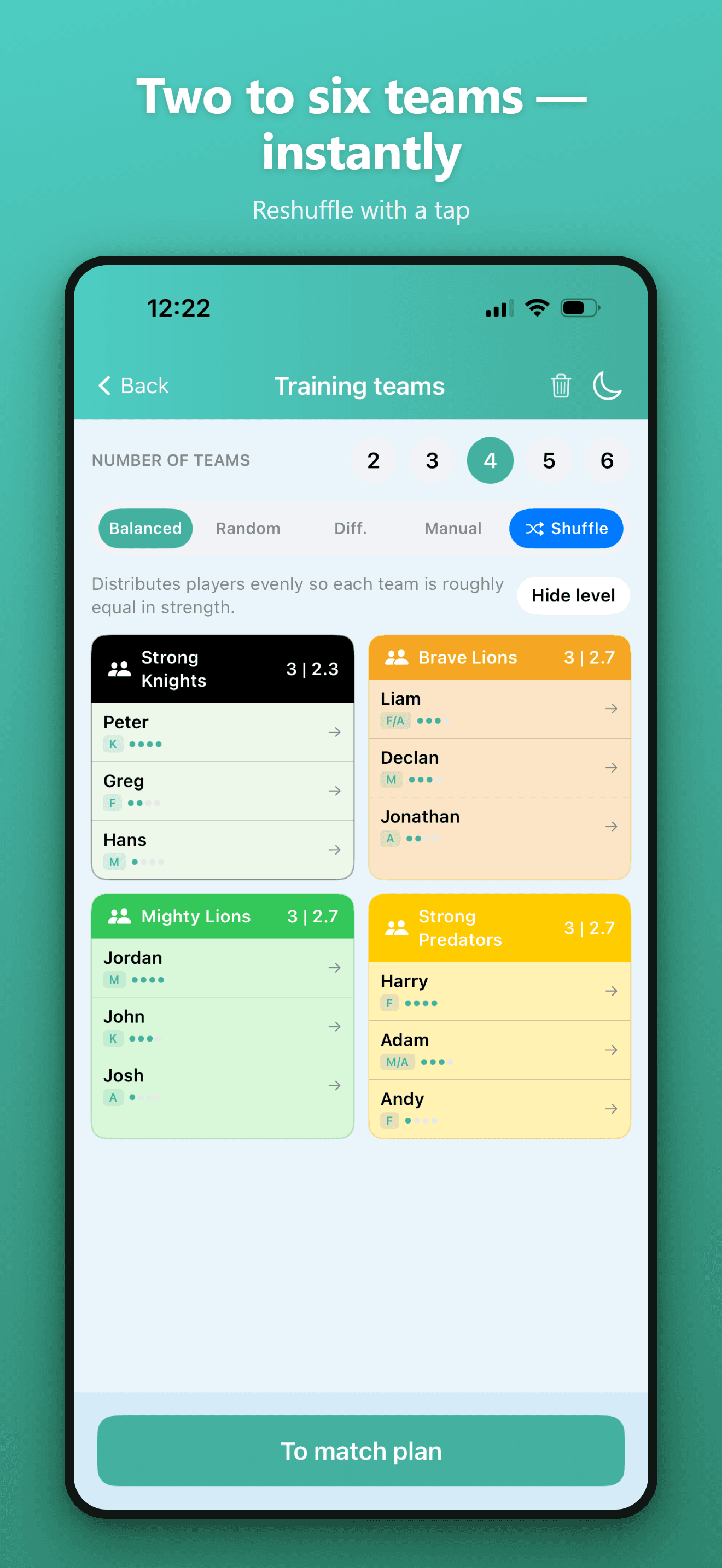
“Some weeks it's a 2‑team scrimmage, other weeks a mini‑league.”
Two to six teams, instantly
Pick anywhere from 2 to 6 teams and the app rebalances on the spot. Each side gets a color and a name the kids recognise, ready to send straight into a match plan.
- Choose 2–6 teams with a single tap
- Instant rebalancing when you change the count
- Colored, named teams (Lions, Knights, Predators…)
- Straight through to the match plan when you’re set
“An ordinary Tuesday practice could be so much more fun.”
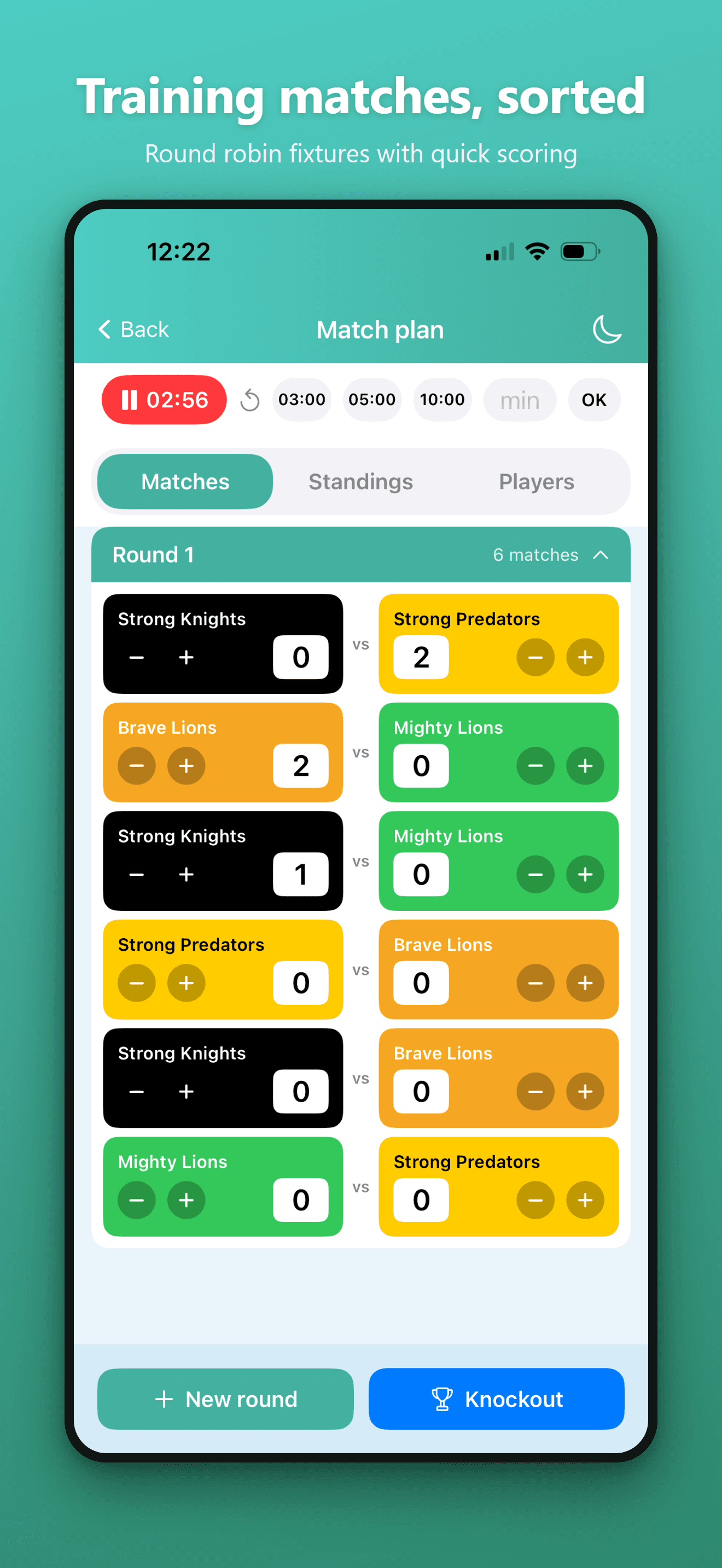
Round‑robin fixtures with quick scoring
The app builds a full round‑robin schedule so every team plays every team. A built‑in timer with 3/5/10‑minute presets keeps rounds moving, and +/- buttons score each match in a tap.
- Automatic round‑robin schedule, grouped by round
- Match timer with 3, 5 and 10‑minute presets
- Tap +/- to score right on each fixture card
- Add a new round or switch to a knockout bracket
“Tournament standings end up on scraps of paper.”
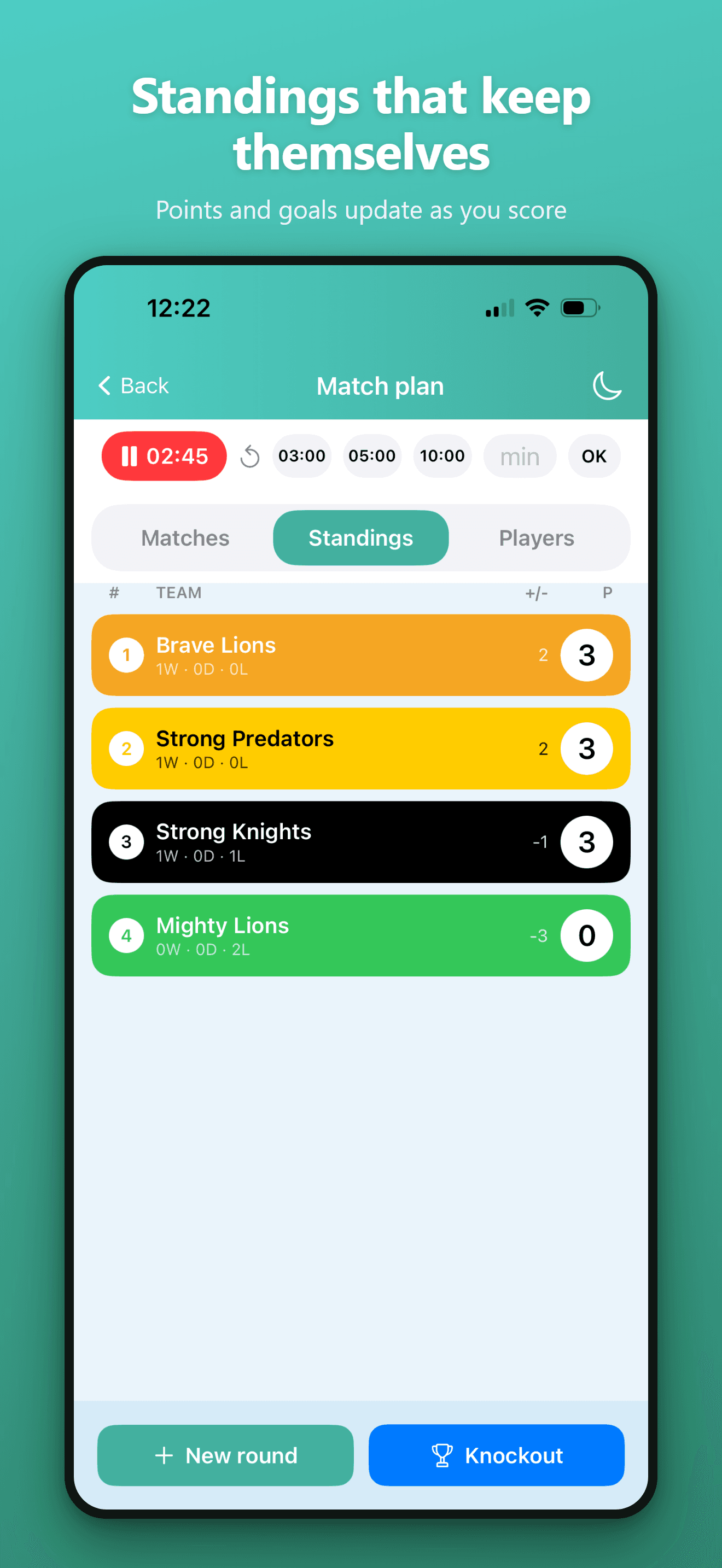
Live standings, updated as you score
Every score you tap in updates the table instantly — points, wins/draws/losses and goal difference, sorted automatically. No spreadsheets, no mental arithmetic.
- Points, W/D/L and goal difference per team
- Re‑sorts the moment a score changes
- Color‑coded rows match the team colors
- Crown a winner or roll into a knockout
“Some kids barely get to play — and I can't do the math mid‑match.”
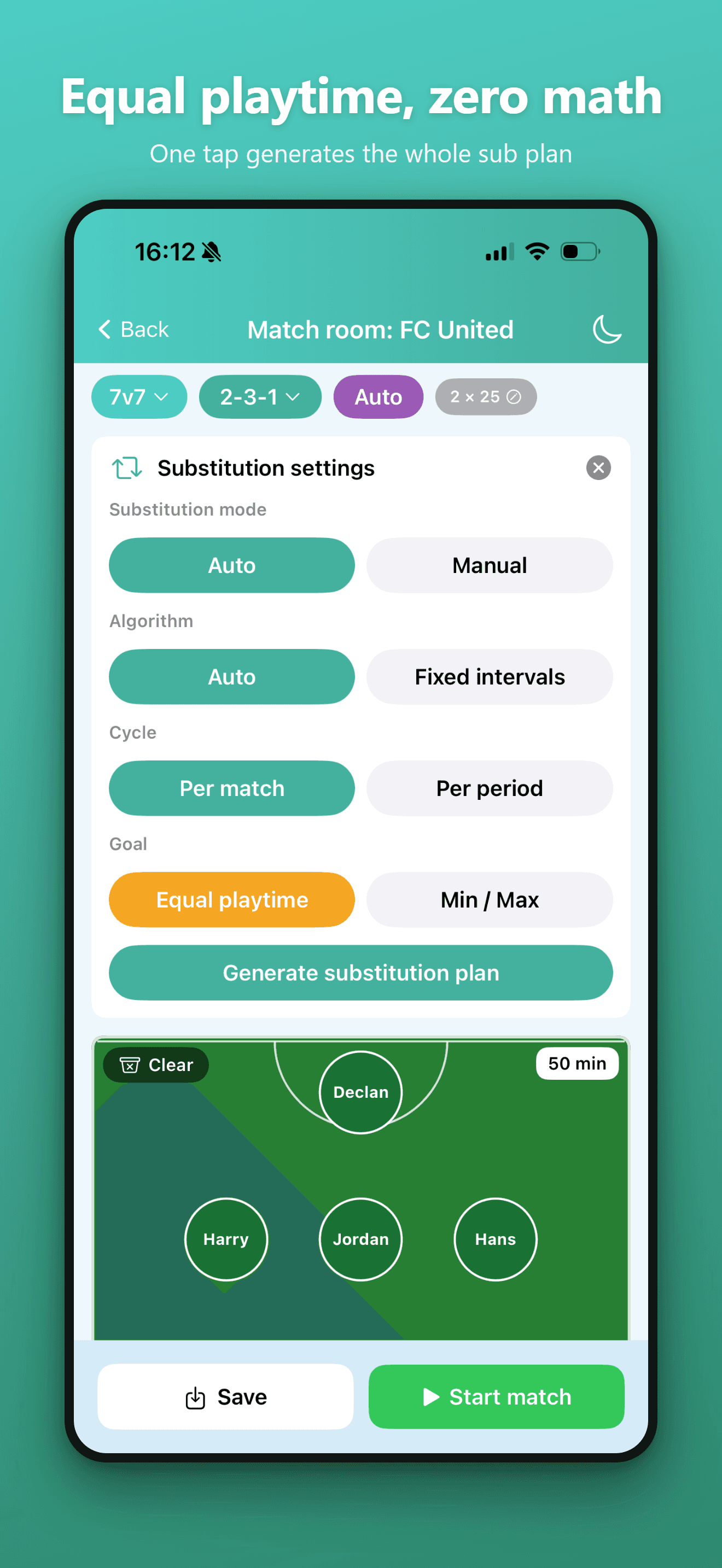
One tap generates the whole substitution plan
Choose your format and formation, then let the substitution engine build the rotation. Set the goal to Equal playtime and everyone finishes on the same minutes — automatically.
- Auto or Manual subs, auto or fixed intervals
- Rotate per match or per period
- Equal playtime or Min/Max targets
- Generate the full plan before kickoff
“I never know who's coming off next until it's already too late.”
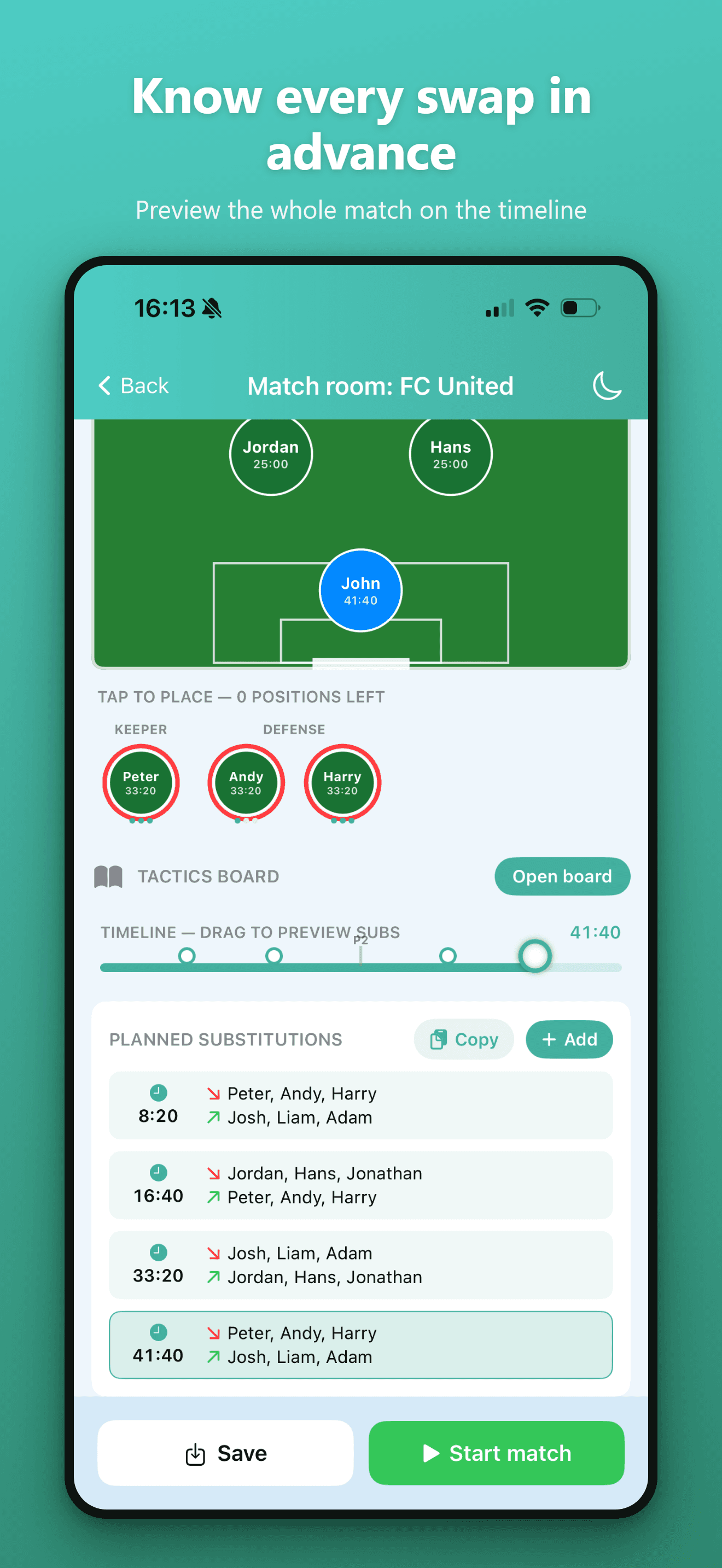
Preview the whole match on a timeline
Drag along the timeline to see the exact lineup at any minute, with every planned substitution laid out in order. Adjust, copy or add swaps until it's exactly how you want it.
- Scrub the timeline to preview any moment
- Full list of planned subs with timestamps
- Per‑player minutes shown on the pitch
- Copy or add substitutions, then Start match
“I forget the goals, the minutes, the subs I planned.”
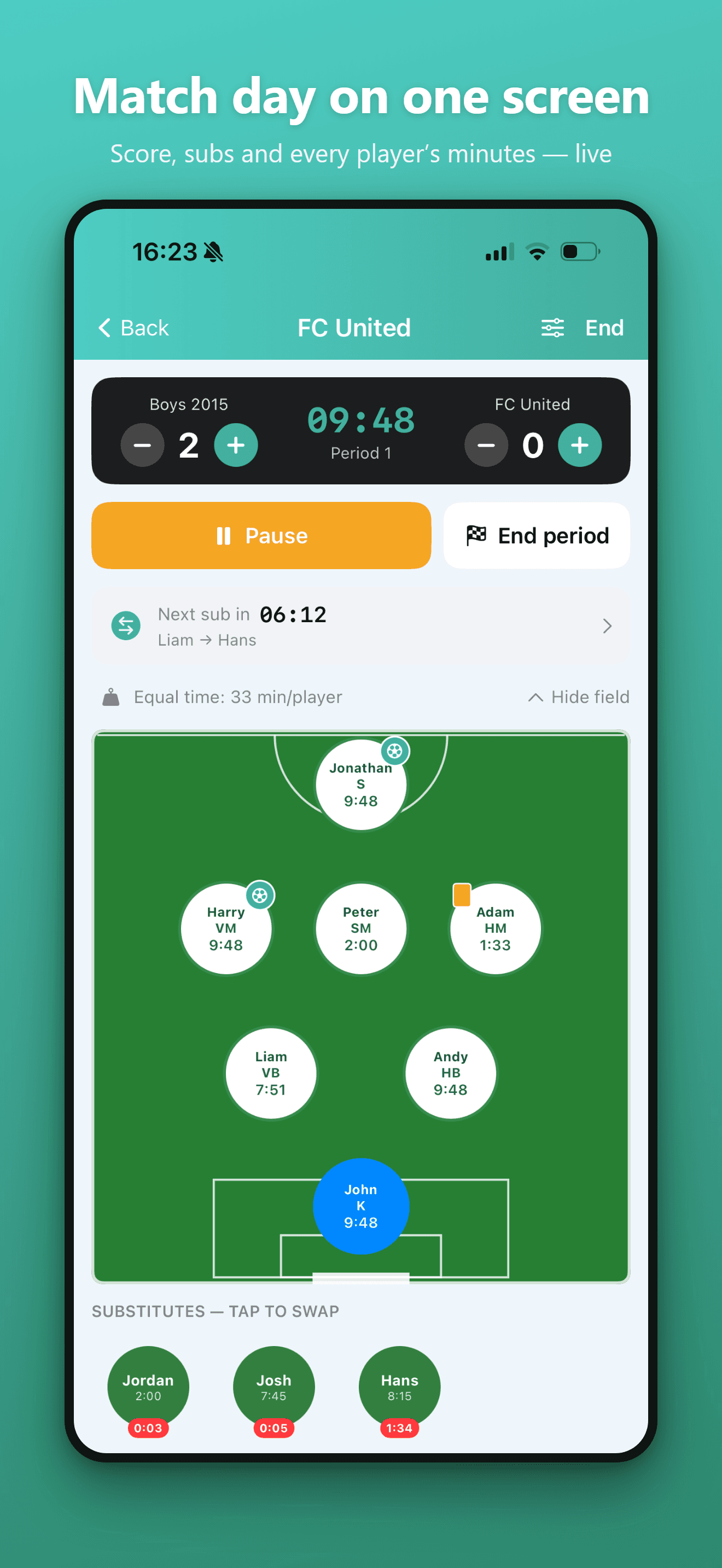
Score, subs and every player's minutes — live
A big scoreboard with one‑tap goals, a live period timer and a “next sub” countdown. Live minutes tick on every player token, and you log goals and cards on whoever earned them.
- One‑tap goals, live timer, pause and end period
- Live minutes per player, keeper handled separately
- “Next sub in” countdown so nobody is forgotten
- Tap a substitute to swap them straight in
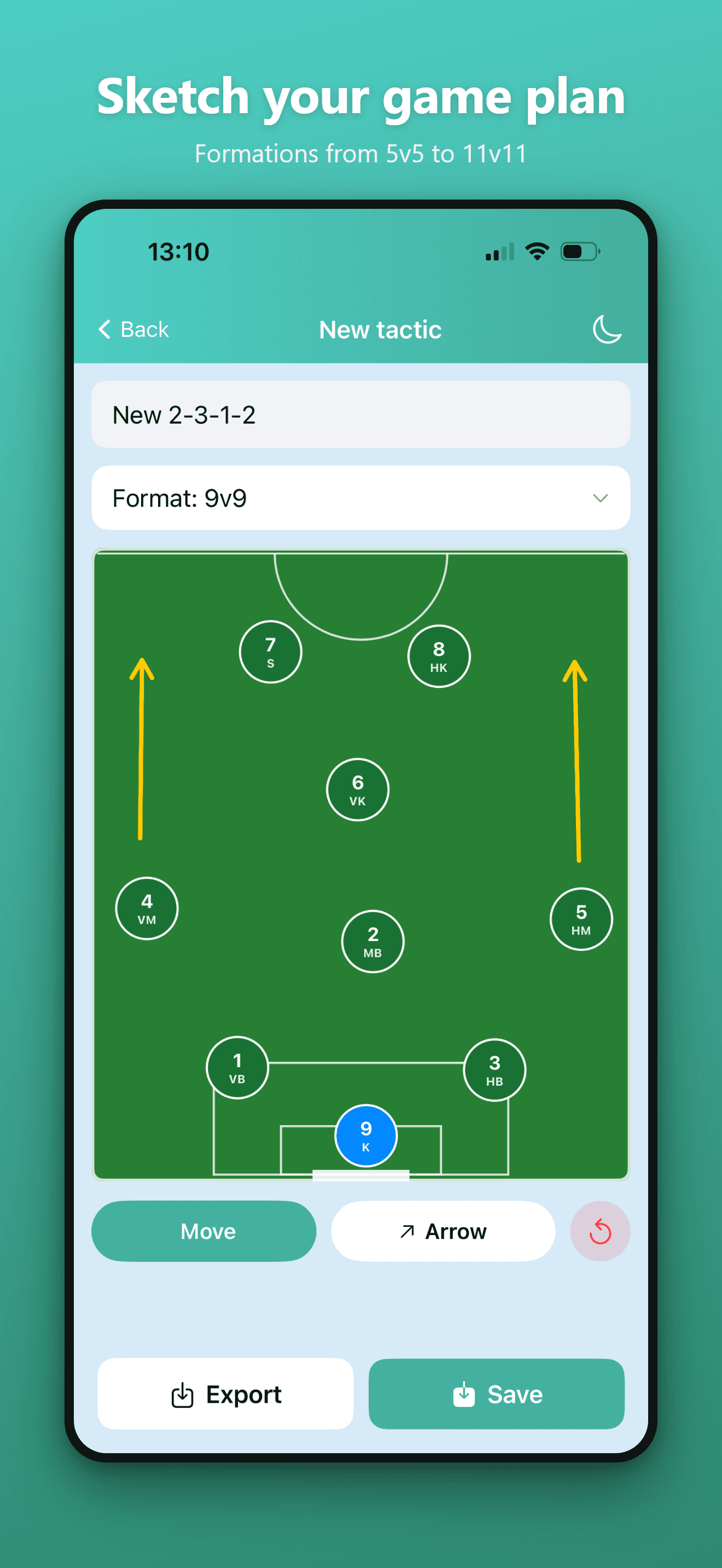
“My formations and set pieces only live in my head.”
Formations from 5v5 to 11v11
Pick a format, name your shape and place every player with their number and position. Add arrows for runs, then export or save the tactic to reuse it match after match.
- Formats from 5v5 up to 11v11
- Numbered, positioned players (K, VB, MB, S…)
- Draw movement arrows across the pitch
- Export as an image or save to your library
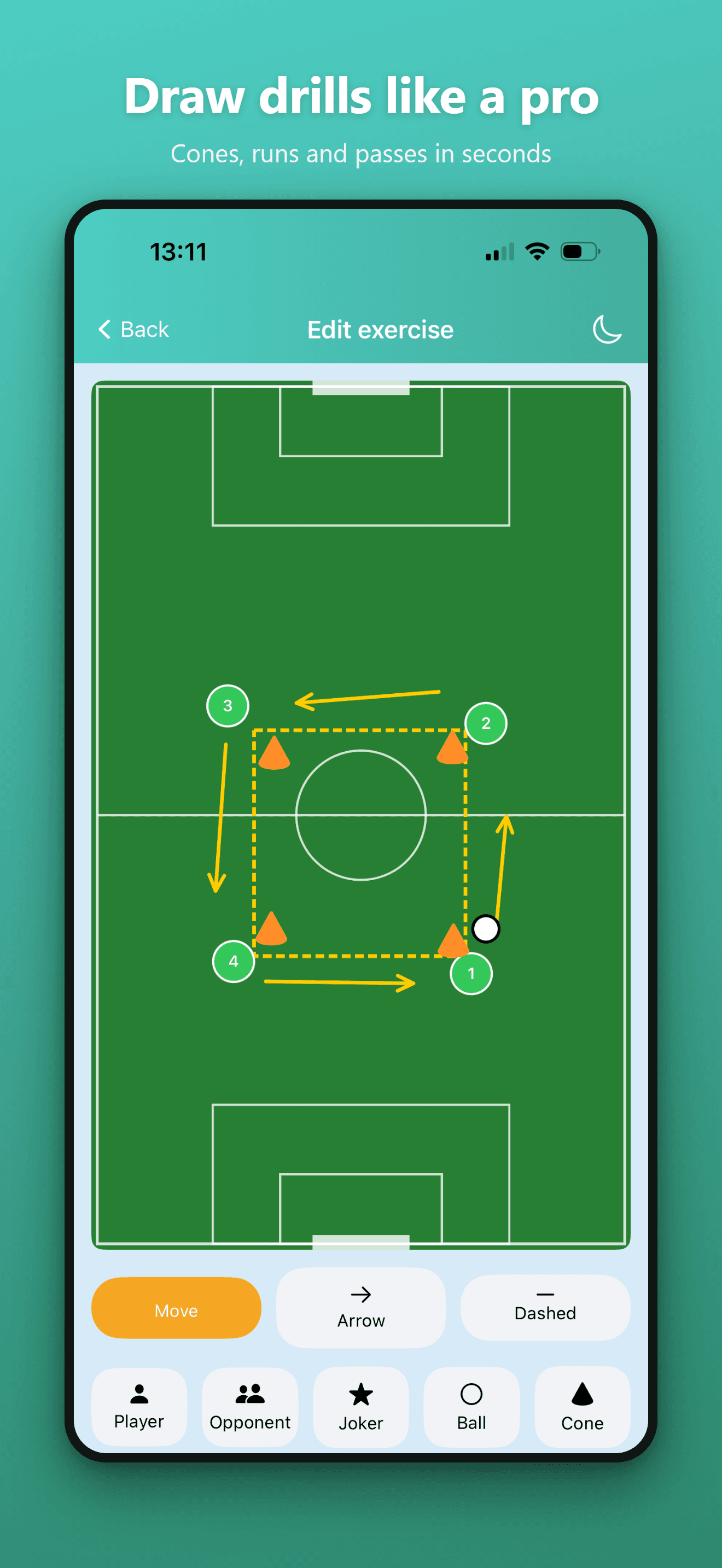
“I've no easy way to sketch a drill and pass it on.”
Cones, runs and passes in seconds
A drawing editor made for training: drop players, opponents, jokers, balls and cones, then draw movement arrows and dashed passing runs. Build a library of drills you can reuse.
- Players, opponents, jokers, balls and cones
- Solid arrows for runs, dashed lines for passes
- Move tool to reposition anything on the pitch
- Save drills and share them with the club
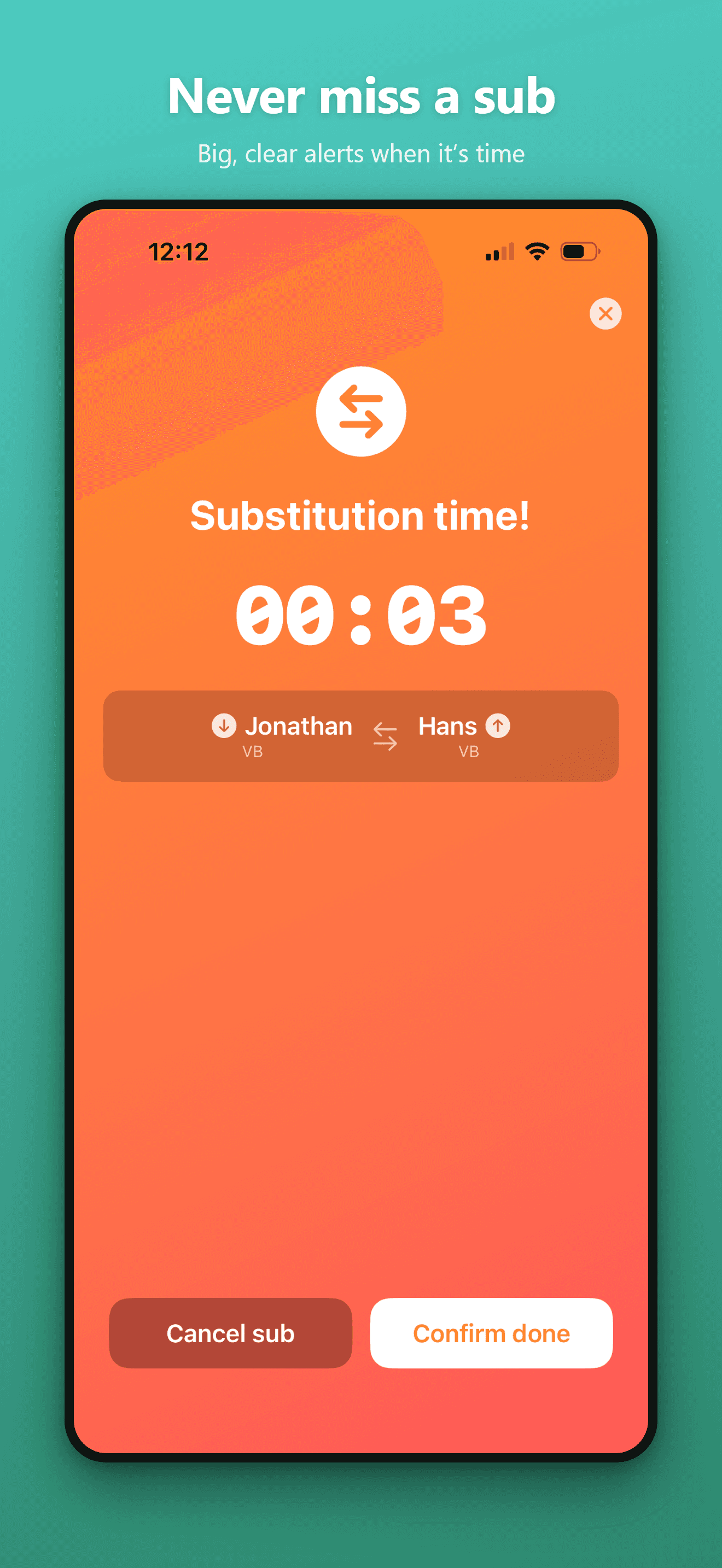
“With everything going on, I just miss the moment to sub.”
Big, clear alerts when it's time
When a substitution is due, a full‑screen alert shows exactly who comes off and who goes on, with a countdown you can't miss. Confirm when it's done, or cancel if plans change — and it's mirrored to your wrist.
- Full‑screen alert with a countdown
- Shows the exact player out and player in
- Confirm done or cancel in one tap
- Mirrored to Apple Watch so the phone stays away
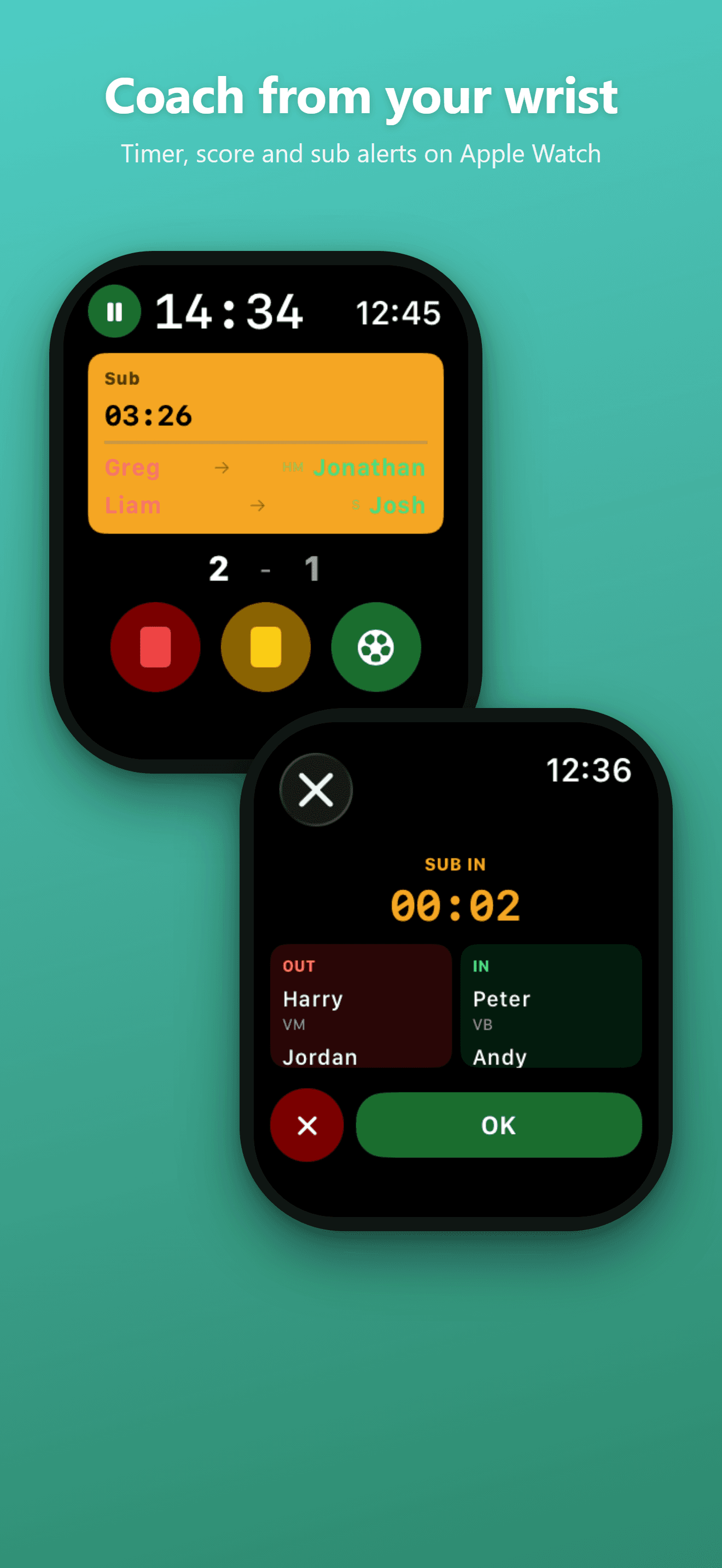
…and the same alert on your wrist
Coach from your Apple Watch
The same substitution alerts, score and match timer live on your wrist. Confirm a sub with a tap and get back to watching the kids play. Optional — the app is fully featured without it.
- Live match time and score on your wrist
- A gentle tap when it’s time to sub
- Confirm the substitution without the phone
Pricing
Start free. Subscribe or pay once.
Every tier includes the full feature set — the free tier is simply capped so you can take the app through real matchdays before deciding. No ads, no account required.
Free to start
$0
Up to 200 match minutes and 20 training sessions — enough for real matchdays.
- Fair team splitting & mini-tournaments
- Playing-time tracking & smart sub suggestions
- Live match room, cards, goals & assists
- Season & tournament stats
- Tactics boards & exercise library
- Apple Watch companion
Subscription
$4.99/ 6 months
Unlock everything season by season. Cancel anytime — great for a single campaign.
- Fair team splitting & mini-tournaments
- Playing-time tracking & smart sub suggestions
- Live match room, cards, goals & assists
- Season & tournament stats
- Tactics boards & exercise library
- Apple Watch companion
- No limits — unlimited matches & sessions
- Cancel whenever the season ends
Lifetime unlock
$24.99one-time
Pay once and coach forever. Best value if you’re in it for the long haul.
- Fair team splitting & mini-tournaments
- Playing-time tracking & smart sub suggestions
- Live match room, cards, goals & assists
- Season & tournament stats
- Tactics boards & exercise library
- Apple Watch companion
- No limits — unlimited matches & sessions
- One payment, no renewals ever
FAQ
Questions coaches ask
What is GameTime: Football?+
GameTime: Football is a sideline coaching companion app for grassroots and youth football (soccer) coaches. It splits fair teams, builds automatic substitution plans for equal playing time, tracks the live match with a scoreboard and timer, and includes a tactics board — on iPhone and Apple Watch. It is not a live football scores app, a fantasy football tool or a professional coaching-certification platform.
Does it need an internet connection?+
No. GameTime works fully offline. Everything runs on your device, so it never lets you down on a pitch with no signal.
Is there a subscription?+
You choose. Start free, then either subscribe for $4.99 per 6 months or make a one-time purchase of $24.99 to unlock everything forever. No ads, no account.
What ages and levels is it for?+
Grassroots and youth football (soccer), roughly ages 6–16, in every format from 3v3 up to 11v11 — including your own custom formations.
Can I manage multiple teams?+
Yes. Run several teams across seasons and tournaments, each with its own squad, stats and history.
What languages are supported?+
The app is available in 19 languages, with English, Norwegian, Swedish and Danish fully translated.
Do I need an Apple Watch?+
No — it is completely optional. The app is fully featured on iPhone alone; the watch just keeps the phone in your pocket.
Where is my data stored?+
On your device. There is no account and no cloud sign-in required — your team data stays with you.
Is the app called GameTime Football or GameTime: Football?+
Both. "GameTime: Football" is the full app name; "GameTime Football" is the same app written without the colon. They refer to the exact same app on the App Store. Note that this is different from other apps simply called "GameTime" — a generic name used by several unrelated scoreboard and stats apps for other sports; look for "Football" in the name and our app icon to make sure you have the right one.

Give every kid their minutes this season
Free to try through real matchdays. When you're ready, one purchase unlocks everything — forever.